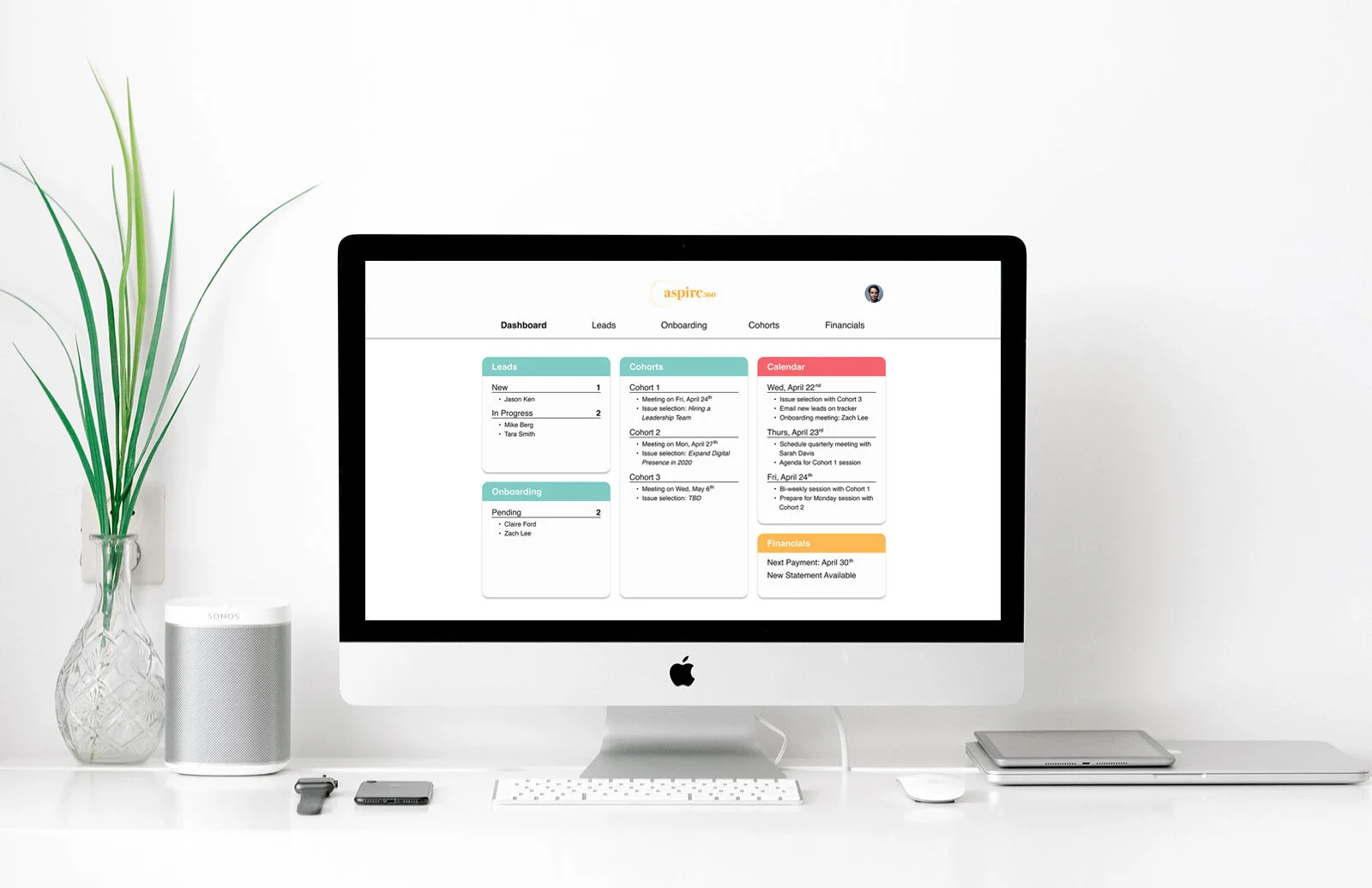
Simplifying the coaching experience
A dashboard tool to manage leads, onboarding and cohorts
Coaching can become tedious and stressful checking off administrative tasks that take away time from what they truly enjoy and do best. That’s why Aspire360 brought us on to come up with a solution to help alleviate these pain points.
CLIENT
Aspire360
MY ROLE
UX Designer, Project Manager
DURATION
3 weeks
TOOLS
Figma, Zeplin
The challenge
As a company that strives to help startup founders build better companies by connecting them to coaches and peers, Aspire360 is looking for a scalable solution to help their coaches simplify their day-to-day processes such as leads identification, onboarding and cohort management.
Design PrOCESS
USER RESEARCH
We conducted five interviews with coaches and mentors who have experience working with entrepreneurs. We aimed to learn about their coaching experiences and their current process and tools they are using to manage their tasks and time while coaching.
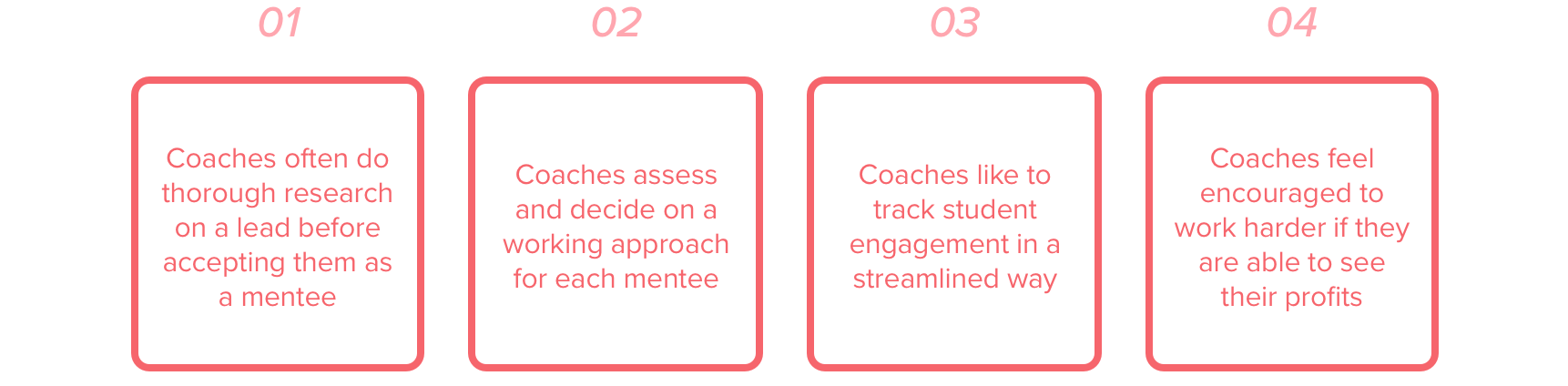
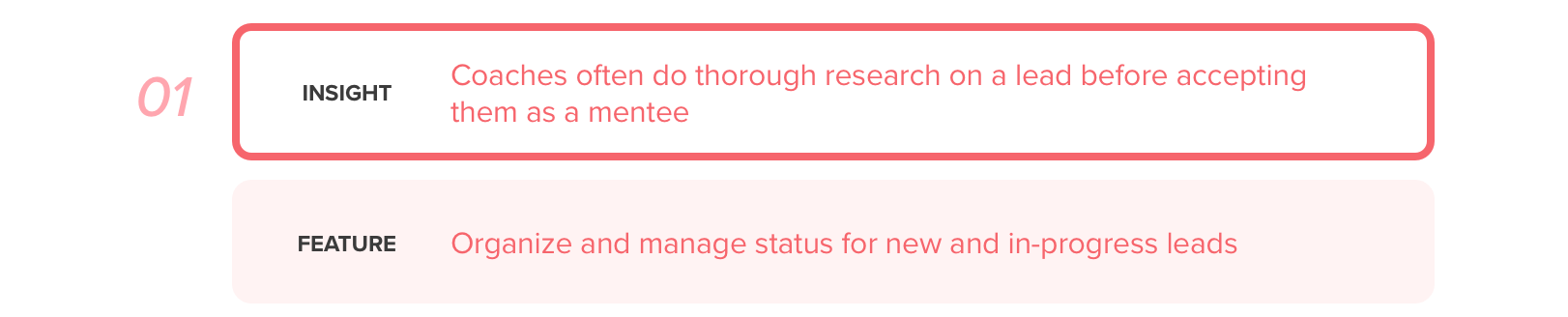
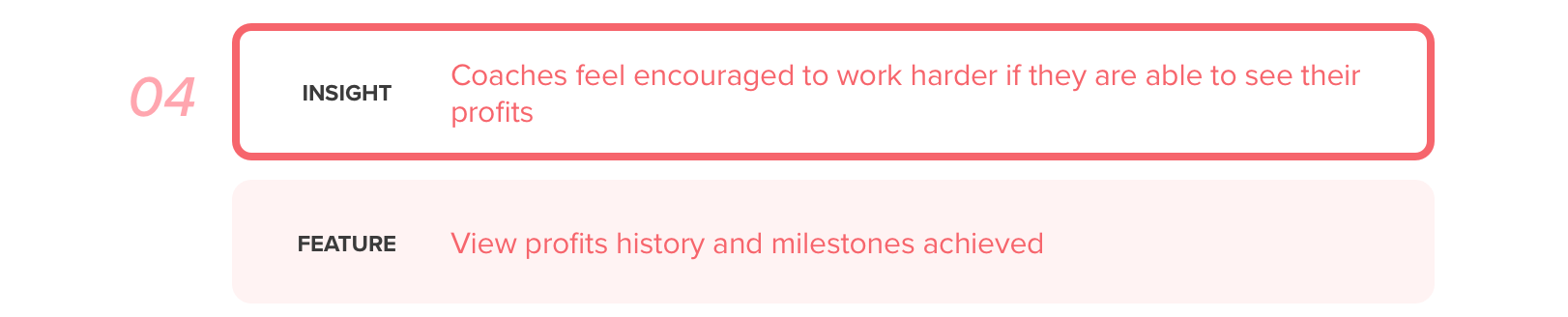
To better organize and learn what we gathered from the interviews, we used affinity mapping to synthesize the data to understand the habits and frustrations of coaches. Here are the key insights:
PERSONA
Based on these insights, we created a persona to represent the target audience to keep us focused and to help us design with the users in mind.

MARK, The Mentor, 39
Mark is a mentor to up and coming entrepreneurs. Earlier in his career, he received great guidance and advice from coaches, which led to his success today and wants to give back by being a mentor himself. While he is excited to empower motivated mentees, he oftentimes spends too much time with the tedious tasks to onboard and set up new mentees. He needs an easy way to help him with mentee management, onboarding and scheduling.
Problem statement
How might we help Mark streamline the administrative tasks and track relevant information in the coaching process while up-keeping his motivation?
IDEATION
With what we learned from the insights and what we know about Mark, here are some of the key potential features we explored:
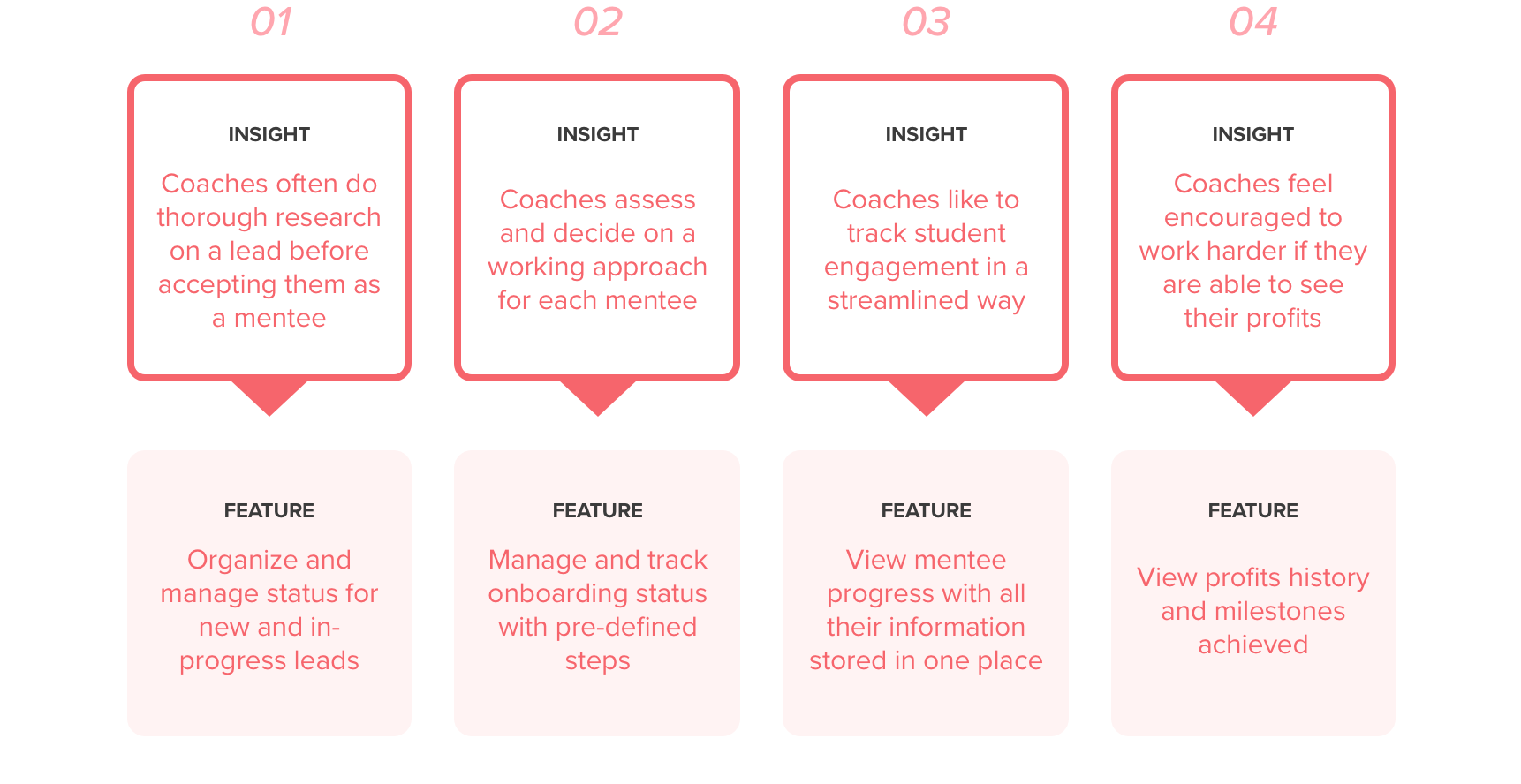
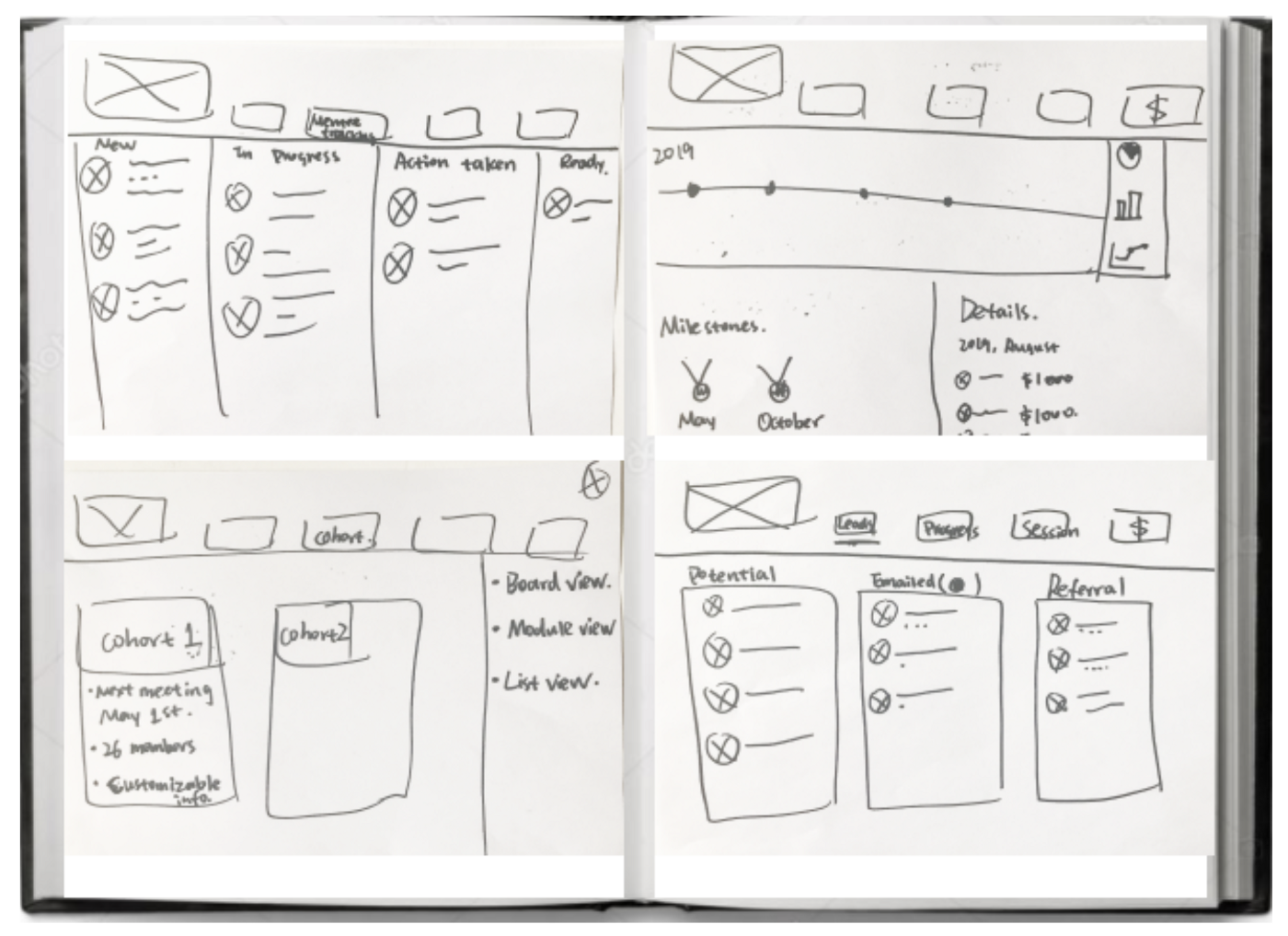
Based on these insights and potential features, we started to ideate the design through a Design Studio session where our team sketched out our own ideas separately and then we came together to actively discuss the elements we liked to collectively create a centralized design for the Minimum Viable Product (MVP).
THE solution
As we have seen from our research, many coaches including Mark do not have consistent methods and tools to organize their onboarding and coaching of mentees. Therefore, we designed a dashboard tool that allows the coaches to manage the leads, onboarding and cohorts processes directly within one platform to save time and frustration.
DESIGN FEATURES


usability TESTING
For the design iterations, we performed two rounds of usability testing to see if the dashboard was intuitive and easy to use. Primarily, we wanted to get feedback on the overall design and flow but also wanted to see if users found the tool useful. We had participants both with instructional and also non-instructional background to ensure that we are creating something usable for everyone.
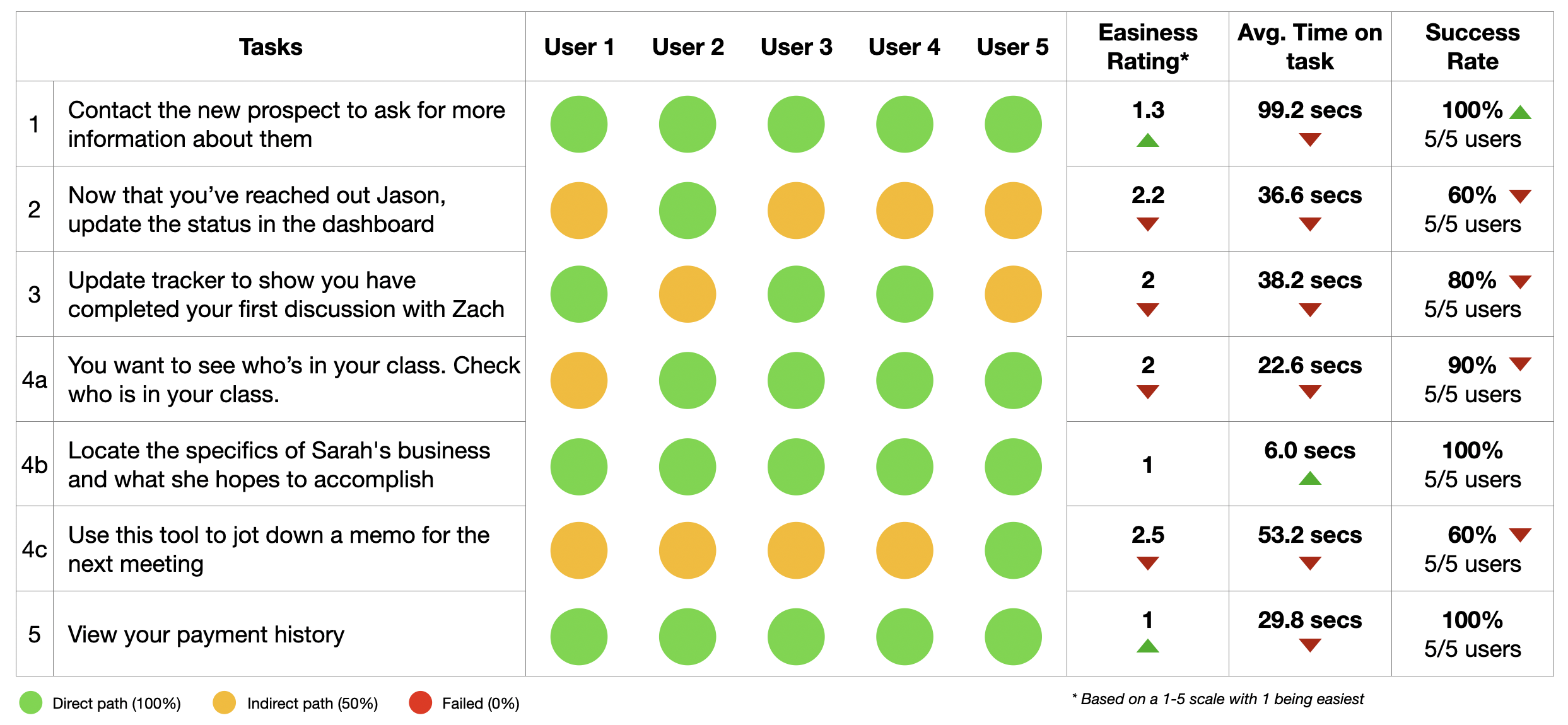
Here are our testing results:
Key takeaways:
For most tasks, users were able to navigate to the right place right away (green circles)
For some tasks, users were going to other pages first before clicking into the right place (yellow circles)
We learned that most participants were confused with the terminology (e.g., leads, onboarding, cohorts). However, they explained that if they knew what they meant beforehand, the tasks would have been easy so we are confident that the coaches at Aspire360 will be able to use the dashboard with ease since they are very familiar with these terms
All participants expressed that they liked how the design was organized and clean with just the right amount of information
They also liked the color choices and styles which made it fun and simple to use
Next STEPS
The design should continue to be iterated and be tested before and even after launch. Further, some other features we did not get to include in the MVP should be considered for the next phase of the project such as:
Expansion on an instructor’s profile
Addition of the notes feature across the website
Addition of a mentees portal to connect to the coaches’ dashboard
REFLECTIONS
There were many things I learned from this project but what stood out most to me was the hidden components of coaching that we don’t easily see on the outside—in this case the tedious administrative tasks to organize all their potential and current mentees.
Therefore, it is absolutely crucial to always follow the heart of UX and speak to users directly to understand their perspective and experiences to design a solution that works well for everyone.
By adopting this growth mindset, we truly believe the dashboard will fit well within Aspire360 to streamline and simplify the coaching experience so they can focus on what they truly enjoy and do best.